General
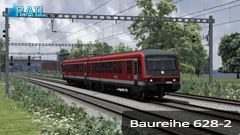
The Class 628 is a (semi) diesel multiple unit consisted of two carriages, one motorcar (BR 628) and one control car without powersupply (BR 928), developed in the early 1970s. Originally, the BR 628 were ordered to replace the older Railbuses Class 795, 798 and 515.
The development of the BR 628 can be divided in several stages. The second version of this class, the BR628-2, was an extended version of the previous two versions.
Before the diesel multiple units became widespread, a number of short-term requirements from the future production Class 628-2 units were integrated, including a 1st class open compartment, better ventilation and a dividing wall between the drivers cab and the passenger compartment. Externally the front and back were more angled, the triple headlamp was moved down and a train destination display added in order to improve the vehicles appearance and to keep passengers better informed. In all, 150 of these units were procured between 1986 and 1989. At the Kiel locomotive depot several of these railcars were driver for a while at up to 140 km/h, but because this seriously increased wear and tear, these express duties were soon terminated again. The Class 628-2 with the DBs Regionalbahn in Schleswig-Holstein was given a redesign with new seats, new interior decor, wheelchair ramps etc. Several years before, a Karlsruhe 628-2 had also been given a fundamental modernisation of its interior.
The experience with the BR 628-2 lead to an extended version, the BR 628-4 which were more powerfull and longer.
The Class 628-2 can be operated in a maximum of four pairs and has a maximum speed of 120 kilometre per hour. The weight of a carriage is around 42 tons.
Rolling Stock
This add-on contains the German diesel multiple unit (DMU) Baureihe 628-2.
BR 628-2
The key features of this advanced locomotive are listed below:
- Authentic cab with the most functions like reality.
- Authentic sounds.
- PZB.
- SIFA
General information
This locomotive uses several keys which are not standard. Below is listed which keys you can use to drive the engine.
| Function |
Keyboard |
| Increase / Decrease Throttle |
A / D |
| Increase / Decrease Reverser |
W / S |
| Increase / Decrease Train Brake |
" / ; |
| Increase / Decrease Locomotive Brake |
[ / ] |
| Increase / Decrease Dynamic Brake |
. / , |
| Emergency Brake |
Backspace |
| Horn: high / low tone |
B / N |
| Sander |
X |
| Headlights On / Off |
H / Shift + H |
| Cabinlights |
L |
| Instrument lights |
Shift L |
| Wipers Toggle |
V |
| PZB toggle |
Shift + Control + Home |
| PZB Wachsam |
Page Down |
| PZB Frei |
End |
| PZB Befehl |
Delete |
| SIFA toggle |
Shift + NumPad Enter |
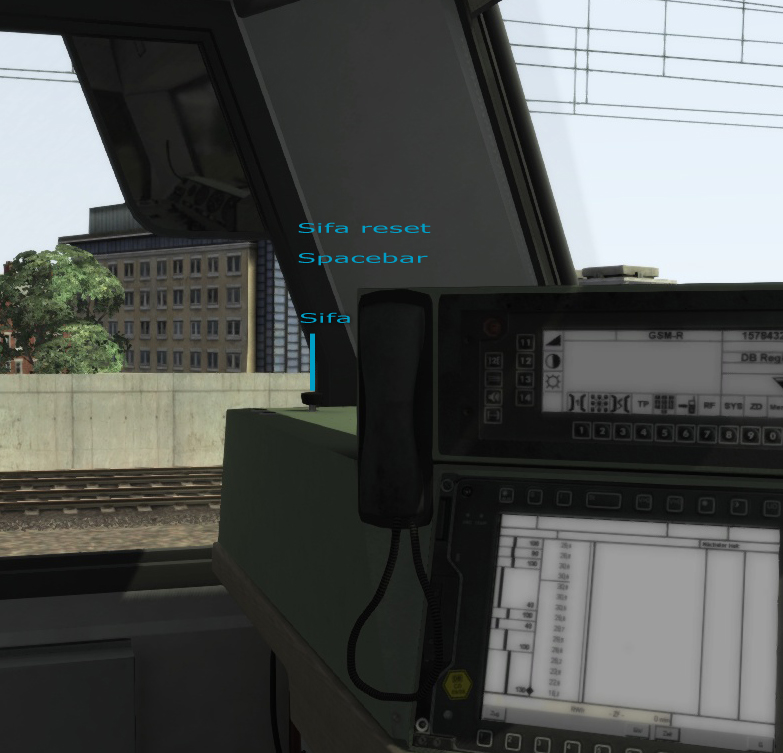
| Confirm SIFA |
Spacebar |
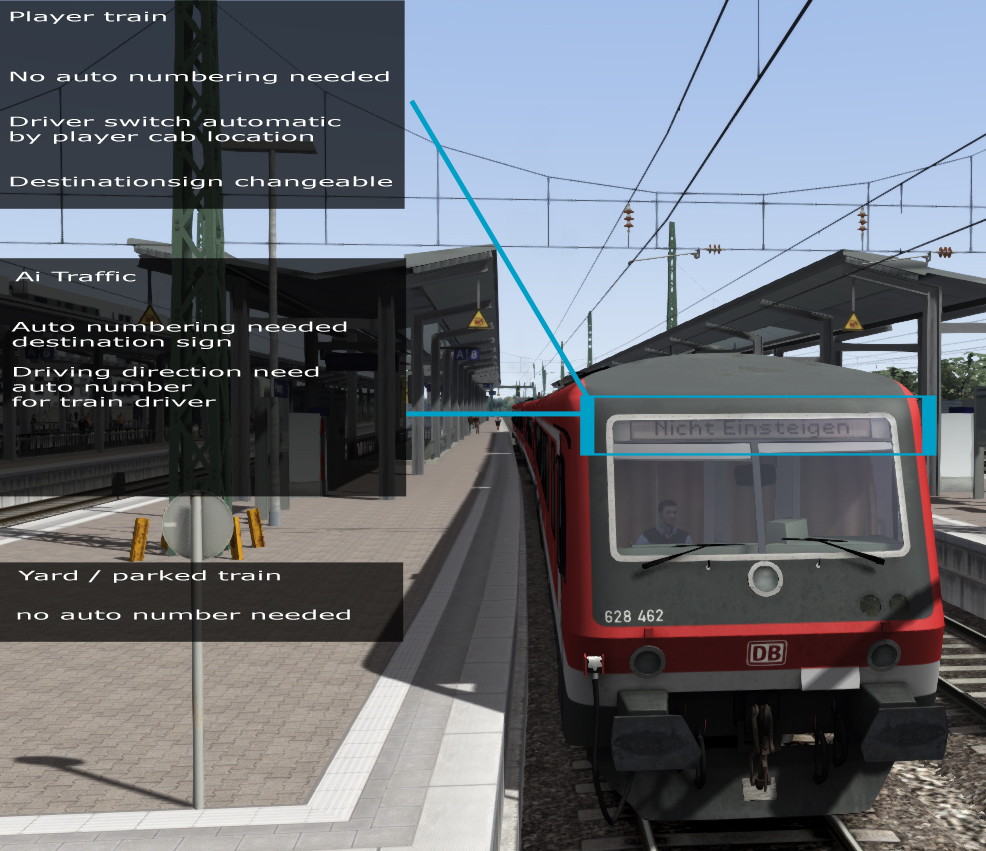
| Change destination display manually |
Shift + / Shift - (please note: - and + on NUMPAD) |
For optimal sound, please turn EFX on in the soundsettings.
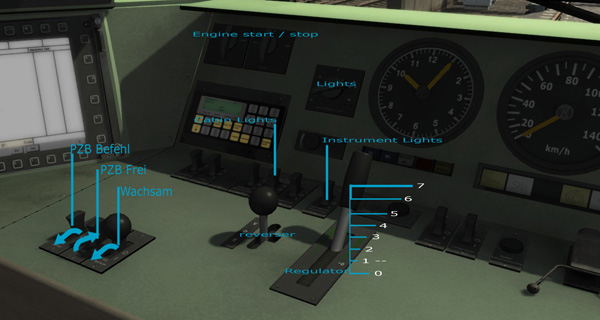
Overview of the left side of the cab.
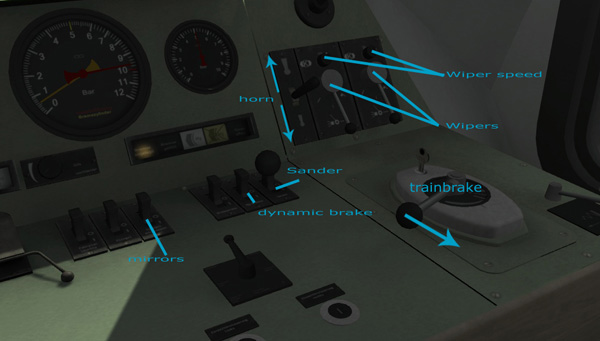
Overview of the right side of the cab.
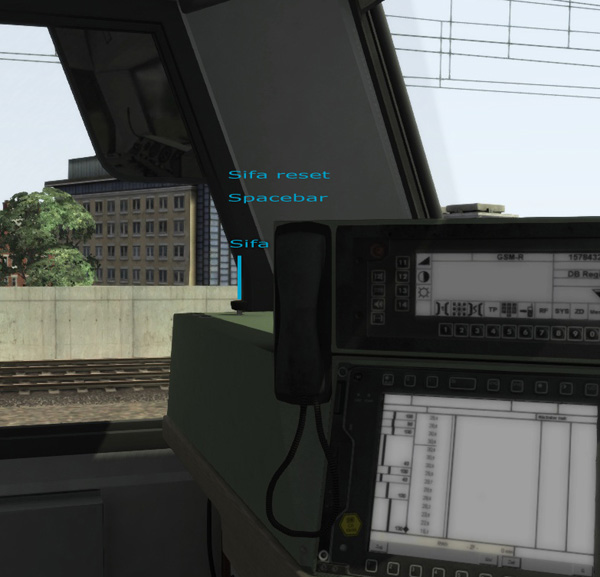
SIFA release button.
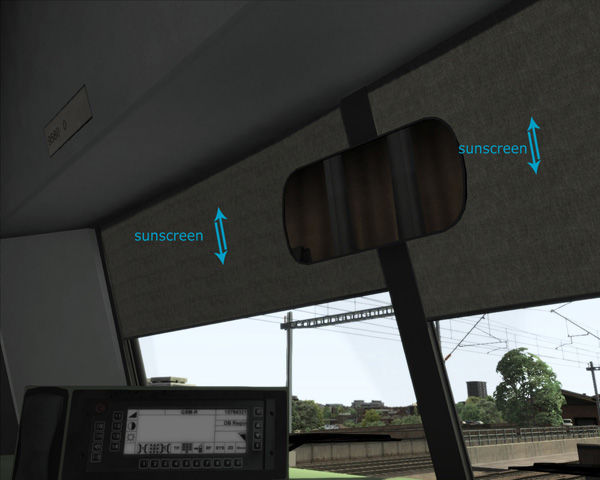
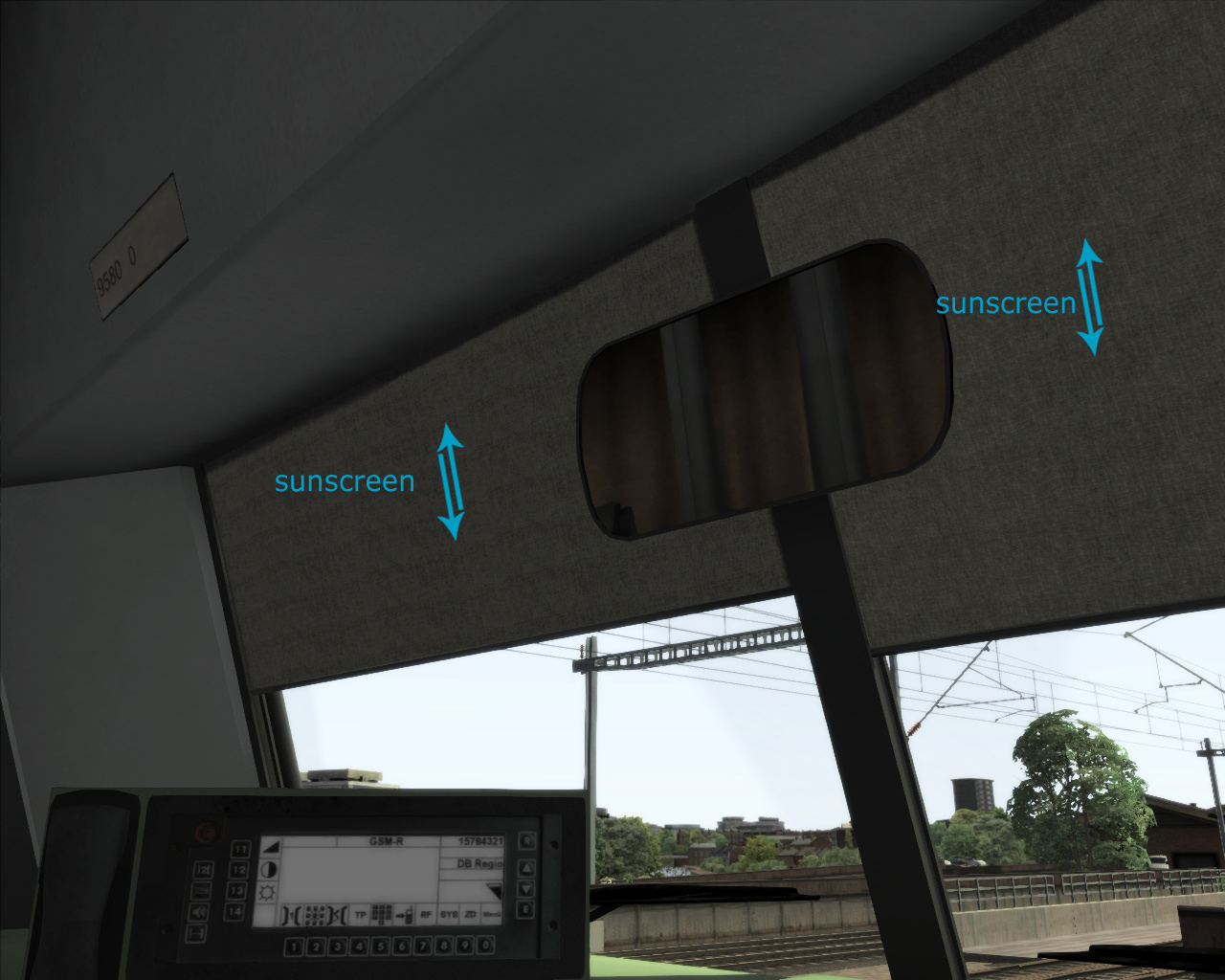
Sun screens.
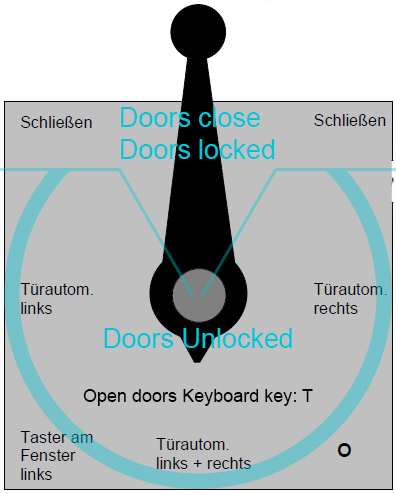
Door unlock system.
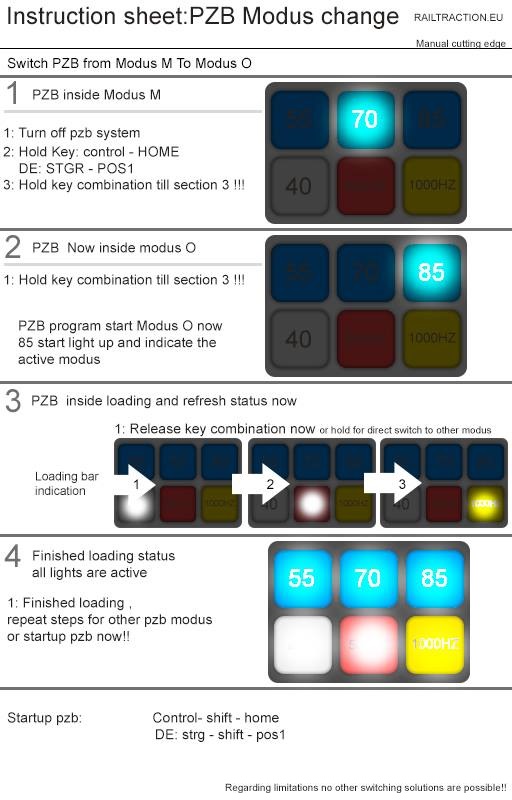
PZB Sheet.
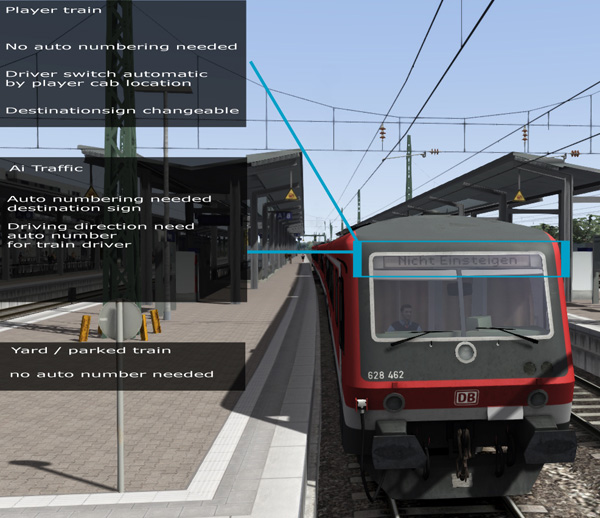
Destination signs.
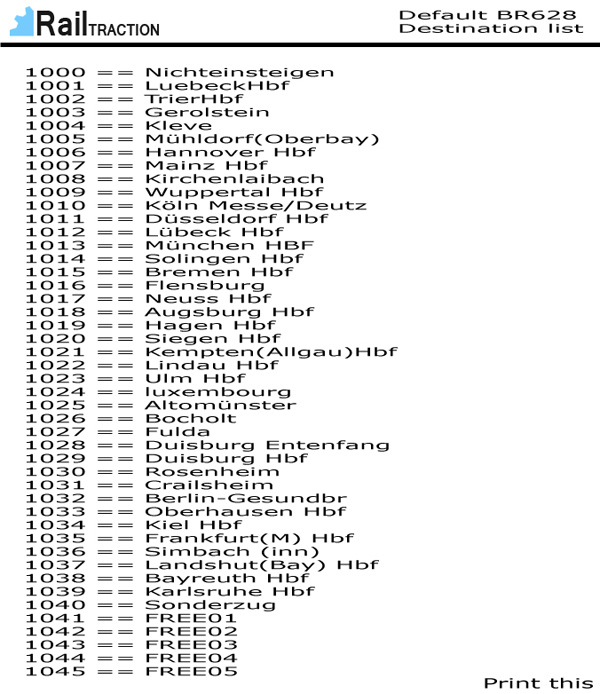
List with trainnumbers and corresponding destinations.
Scenarios
The add-on BR 628 contains four Scenarios:
| Scenario |
|
Route |
|
Requirements |
| BR628-2 - Destination Lindau |
|
Three Country Corner Route |
|
Train Simulator 2014 + Add-On Three COuntry Corner Route |
| BR628-2 - Regio Service |
|
Hannover - Hamburg |
|
Train Simulator 2013 + Add-On Hannover - Hamburg / Train Simulator 2014 |
Please note: The Scenarios are seperately available in the BR 628-2 package.
Installing
Installing the product is very simple. Please follow the next procedures:
1. Download the product from your account in the RailTraction store under "My downloads".
2. Unzip or unrar the file you just downloaded and copy the .rwp-file to a place where you can find it easaly, i.e. your desktop.
3. Open your Train Simulator 2014 root folder and start the programm called "Utilities".
4. Open the tab "Package Manager" and click on the button "Install" on the right side.
5. Search your .rwp-file, in the previous example you can get it from your desktop and press open.
6. Your add-on will be installed automaticaly. When the window with the green progress bar has dissapeared without any error messages, your add-on is succesfull installed.
You are now able to use your add-on in Train Simulator 2013.
Dev: ingame
BR 628-2 in your own scenario
Please follow the next instructions.
1. Start Train Simulator 2013.
2. Create a new scenario (standard or free roam) or start an existing scenario.
3. Once in game, turn on the World Editor mode when not already enabled by pressing CTRL+E.
4. Open the left tabs in your window.
5. In the top left tab, click on the train button named "Scenario Tools".
6. One tab below, press the blue/yellow cube named "Object Set Filter". On the right side, a new tab appear.
7. Open this tab and search for the developer, in this case Railtraction.
8. Check on the name of the add-on (if not already checked), BR628.
Now you will find the locomotive in the tab trains named BR628-2.
Dynamic numbering
You can set your own locomotive number in the World Editor. Please double click on the engine on the track. Open the tab on the right side of the screen and you will see some numbers.
Below you find a list with destinations and corresponding numbers. Please note: a visible German traindriver is added automatically too.
| Trainnumber |
Destination |
| 1000 |
Nicht einsteigen |
| 1001 |
Luebeck Hbf |
| 1002 |
Trier Hbf |
| 1003 |
Gerolstein |
| 1004 |
Kleve |
| 1005 |
Mühldorf (Oberbay) |
| 1006 |
Hannover Hbf |
| 1007 |
Mainz Hbf |
| 1008 |
Kirchenlaibach |
| 1009 |
Wuppertal Hbf |
| 1010 |
Köln Messe/Deutz |
| 1011 |
Düsseldorf Hbf |
| 1012 |
Lübeck Hbf |
| 1013 |
München Hbf |
| 1014 |
Solingen Hbf |
| 1015 |
Bremen Hbf |
| 1016 |
Flensburg |
| 1017 |
Neuss Hbf |
| 1018 |
Augsburg Hbf |
| 1019 |
Hagen Hbf |
| 1020 |
Siegen Hbf |
| 1021 |
Kempten (Allgau) Hbf |
| 1022 |
Lindau Hbf |
| 1023 |
Ulm Hbf |
| 1024 |
Luxembourg |
| 1025 |
Altomünster |
| 1026 |
Bocholt |
| 1027 |
Fulda |
| 1028 |
Duisburg Entenfang |
| 1029 |
Duisburg Hbf |
| 1030 |
Rosenheim |
| 1031 |
Crailsheim |
| 1032 |
Berlin-Gesundbr |
| 1033 |
Oberhausen Hbf |
| 1034 |
Kiel Hbf |
| 1035 |
Frankfurt (M) Hbf |
| 1036 |
Simbach (inn) |
| 1037 |
Landshut (Bay) Hbf |
| 1038 |
Bayreuth Hbf |
| 1039 |
Karlsruhe Hbf |
| 1040 |
Sonderzug |
| 1041 |
FREE01 |
| 1042 |
FREE02 |
| 1043 |
FREE03 |
| 1044 |
FREE04 |
| 1045 |
FREE05 |
Dev: reskin
Its possible to make reskins of the add-on BR 628-2.


 RailTraction Readme add-on BR 628-2